


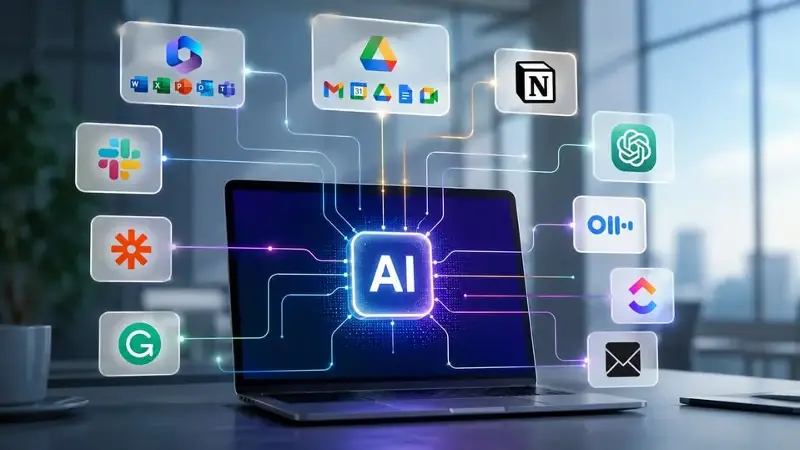
Office productivity in 2026 is increasingly defined by AI-native systems embedded directly into work tools, rather than standalone assistants. Across multiple industry roundups, the shift is clear: AI now drafts, analyses, schedules, and automates workflows inside the same apps people already use, rather than sitting outside them.
Here are five AI tools reshaping office work in 2026
Microsoft 365 Copilot
Microsoft Copilot is deeply integrated into Word, Excel, PowerPoint, Outlook, and Teams, allowing users to generate documents, analyse spreadsheets, summarise meetings, and manage tasks using natural language. Its key advantage is that it operates inside existing workflows rather than requiring users to switch tools, making it one of the most widely adopted enterprise AI systems.
Google Workspace with Gemini
Google Workspace has evolved into an AI-first productivity suite through Gemini integration. In Docs, Sheets, Slides, and Drive, it enables content generation, summarisation, and contextual automation using data from across emails and documents, making it especially powerful for teams already embedded in Google’s ecosystem.
Notion AI
Notion AI combines documentation, databases, and task management with AI writing and knowledge retrieval. It can summarise long documents, extract action items, and answer queries from internal company knowledge bases, positioning itself as an “all-in-one” workspace for structured information management.
ChatGPT
ChatGPT remains one of thE AI tools for writing, coding, research, and ideation. Its strength lies in flexibility users rely on it as a general-purpose assistant across industries rather than a single-function productivity tool, making it a core “thinking layer” in many workflows.
Zapier AI
Zapier AI connects thousands of apps and enables users to build automated workflows using natural language prompts. It plays a critical role in modern productivity stacks by linking email, messaging, databases, and project tools into seamless automated pipelines.
Grammarly
Grammarly’s AI system has evolved beyond grammar correction into a full communication assistant, helping users write emails, adjust tone, and improve clarity across platforms. Its expansion into broader AI productivity tools reflects a shift toward “communication intelligence” in workplace writing.
Otter.ai
Otter.ai automatically transcribes meetings, generates summaries, and extracts action items in real time. It is widely used in remote and hybrid work environments where reducing post-meeting administrative effort is a key productivity gain.
ClickUp AI
ClickUp AI transforms project management into an AI-assisted workspace by generating task plans, summarising projects, and automating workflows. It is increasingly used as a central operating system for teams managing complex, multi-layered workstreams.
Slack AI
Slack AI helps teams summarise conversations, extract decisions, and reduce information overload in high-volume communication environments. It is particularly valuable in large organisations where critical decisions often get buried in chat threads.
What the 2026 trend actually shows
Across multiple independent reviews, three structural shifts are clear that AI is now embedded inside core productivity suites like Microsoft 365 and Google Workspace, standalone assistants like ChatGPT remain dominant for flexible reasoning tasks, and automation platforms like Zapier are becoming essential connective infrastructure for multi-tool workflows.